FAQ
1. Cannot Paste in Input Box
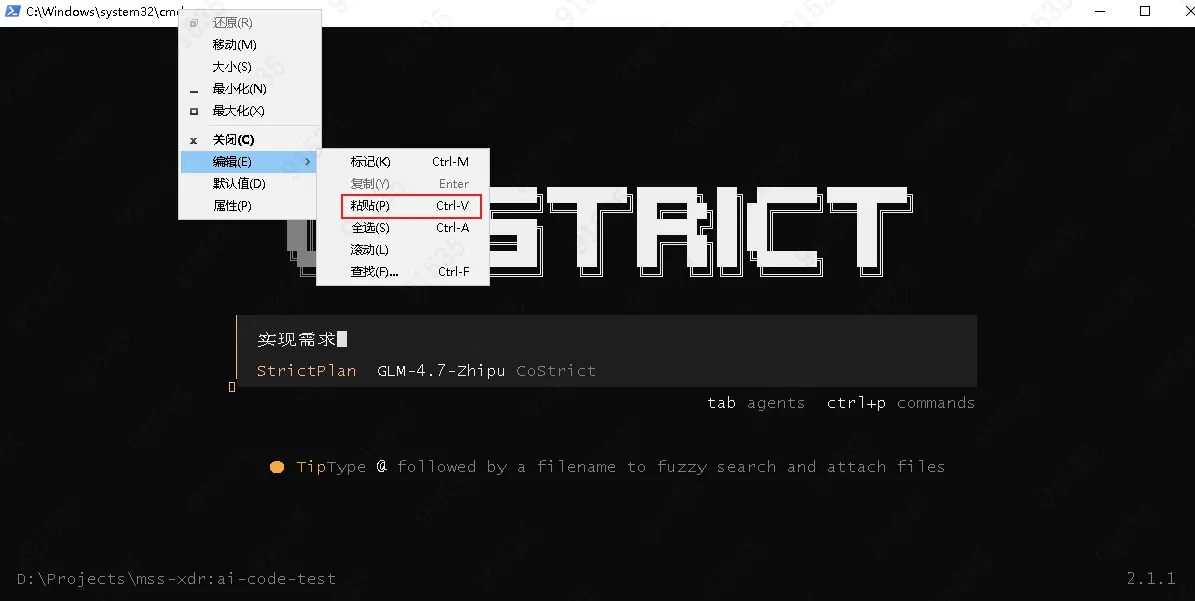
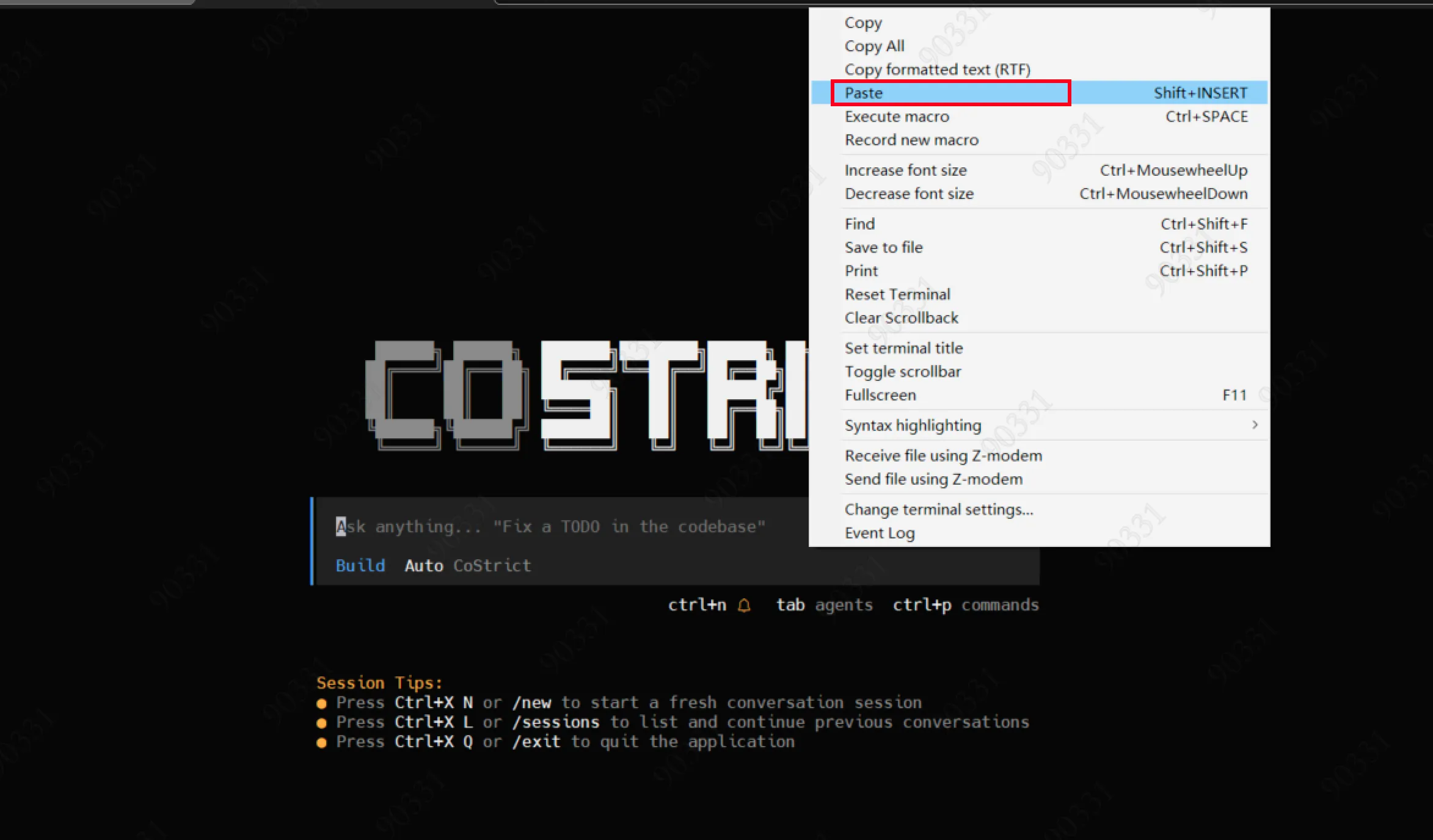
Since CS's built-in TUI framework hijacks shortcut keys, direct shortcut key pasting may not work. Please follow the instructions based on your system and terminal type:
Windows System (cmd / PowerShell and other terminals) At the top of the terminal, right-click → Edit → Paste
Linux System Depends on the terminal used. Usually, press Shift + right-click to bring up a menu with paste options, then select the corresponding paste item.
2. Tab Key Cannot Switch Questions in Questionnaire
Use the left and right arrow keys to switch.
3. Linux GLIB Version Issue Causing Execution Failure
Use CentOS 8, Ubuntu 20.0 or higher version Linux machines or containers.
4. Unable to Return to Parent Agent After Entering Sub-Agent Session Using Shortcut Key
Click "Parent" in the upper left corner with the left mouse button.
5. Linux Login Cannot Open Browser
-
Method 1: Open the terminal in VSCode and remotely connect to Linux. VSCode can open the browser.
-
Method 2: Copy the URL on the interface and manually open it in the browser. (Note: Mobaxterm cannot copy URLs. You need to switch to another terminal, such as directly using the ssh command to connect to the server)
-
Method 3: Log in to CoStrict on Windows first (either CLI or plugin), then copy
%USER_PROFILE%/.costrict/share/auth.jsonto the server at${HOME}/.costrict/share/auth.json, and then use it (after expiration, perform the same operation again). If the directory does not exist, please create it automatically.
6. Windows 7 Cannot Be Used
Start the CoStrict CLI web mode on a remote Linux server, then open it in a browser; or use VSCode to remotely connect to the server for development.