CSC overview
CSC is an agentic coding tool that reads your codebase, edits files, runs commands, and integrates with your development tools.
CSC is an AI-powered coding assistant that helps you build features, fix bugs, and automate development tasks. It understands your entire codebase and can work across multiple files and tools to get things done.
Get started
Choose your environment to get started.
Terminal
The full-featured CLI for working with CSC directly in your terminal. Edit files, run commands, and manage your entire project from the command line.
To install CSC, use one of the following methods:
Install globally from npm
npm install -g @costrict/csc --registry=https://registry.npmjs.org/
After installation, you can use the csc command.
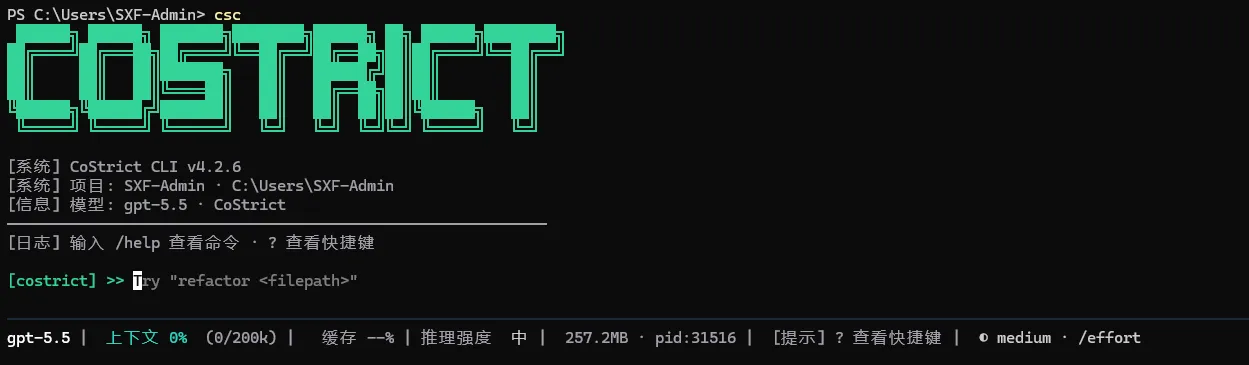
What you can do
Here are some of the ways you can use CSC:
Automate the work you keep putting off
CSC handles the tedious tasks that eat up your day: writing tests for untested code, fixing lint errors across a project, resolving merge conflicts, updating dependencies, and writing release notes.
csc "write tests for the auth module, run them, and fix any failures"
Build features and fix bugs
Describe what you want in plain language. CSC plans the approach, writes the code across multiple files, and verifies it works.
For bugs, paste an error message or describe the symptom. CSC traces the issue through your codebase, identifies the root cause, and implements a fix. See common workflows for more examples.
Create commits and pull requests
CSC works directly with git. It stages changes, writes commit messages, creates branches, and opens pull requests.
csc "commit my changes with a descriptive message"
In CI, you can automate code review and issue triage with GitHub Actions or GitLab CI/CD.
Connect your tools with MCP
The Model Context Protocol (MCP) is an open standard for connecting AI tools to external data sources.
Customize with instructions, skills, and hooks
AGENTS.md is a markdown file you add to your project root that CSC reads at the start of every session. Use it to set coding standards, architecture decisions, preferred libraries, and review checklists. CSC also builds auto memory as it works, saving learnings like build commands and debugging insights across sessions without you writing anything.
Create custom commands to package repeatable workflows your team can share, like /review-pr or /deploy-staging.
Hooks let you run shell commands before or after CSC actions, like auto-formatting after every file edit or running lint before a commit.
Run agent teams and build custom agents
Spawn multiple CSC agents that work on different parts of a task simultaneously. A lead agent coordinates the work, assigns subtasks, and merges results.
For fully custom workflows, the Agent SDK lets you build your own agents powered by CSC's tools and capabilities, with full control over orchestration, tool access, and permissions.
Pipe, script, and automate with the CLI
CSC is composable and follows the Unix philosophy. Pipe logs into it, run it in CI, or chain it with other tools:
# Analyze recent log output
tail -200 app.log | csc -p "Slack me if you see any anomalies"

# Automate translations in CI
csc -p "translate new strings into French and raise a PR for review"

# Bulk operations across files
git diff main --name-only | csc -p "review these changed files for security issues"
See the CLI reference for the full set of commands and flags.