MCP
Configuration Location
● Global configuration: ~/.config/costrict/costrict.json
● Project configuration: costrict.json in the project root directory
Configuration Example
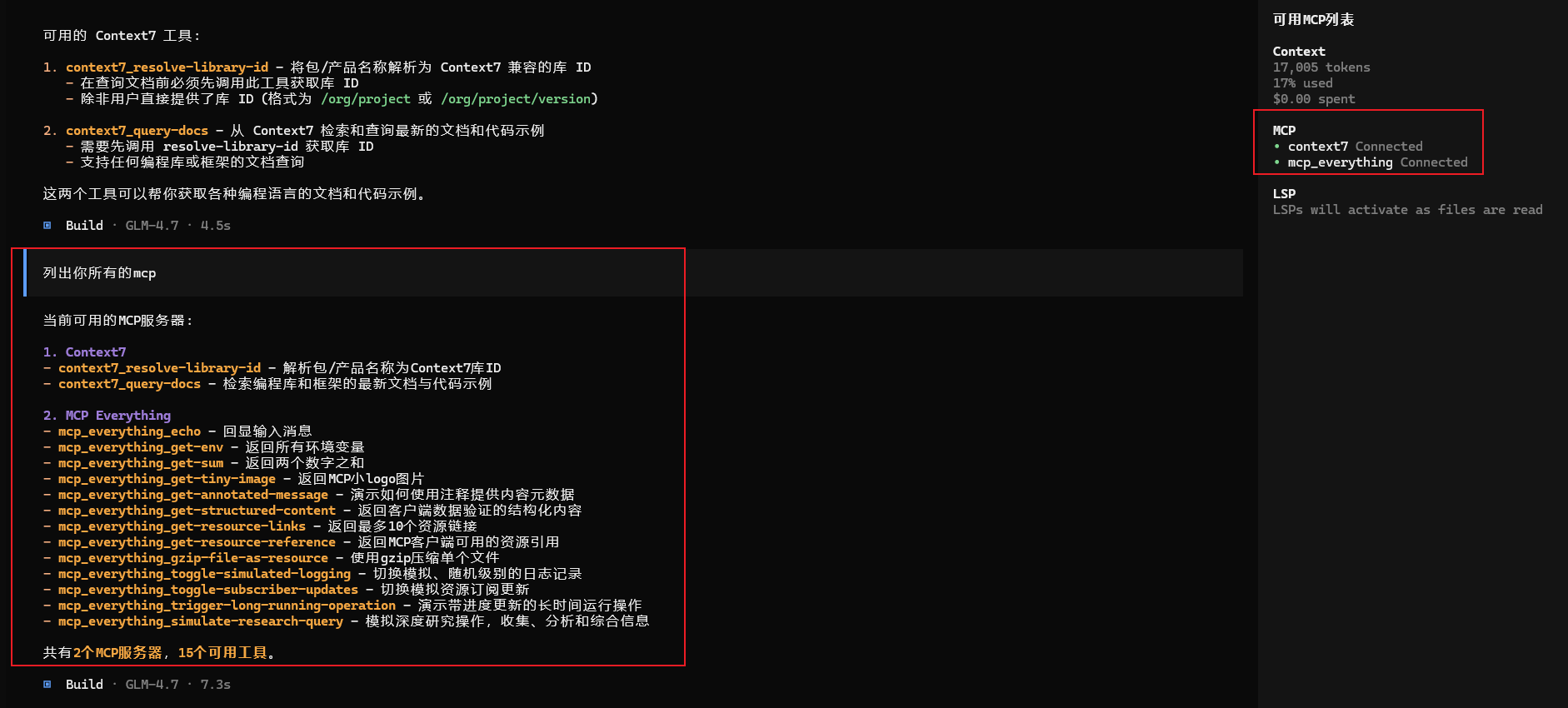
The following configures two MCPs, one remote and one local.
{
  "$schema": "https://opencode.ai/config.json",
  "mcp": {
    "context7": {
      "type": "remote",
      "url": "https://mcp.context7.com/mcp",
      "headers": {
        "CONTEXT7_API_KEY": "{env:CONTEXT7_API_KEY}"
      }
    },
	"mcp_everything": {
      "type": "local",
      "command": ["npx", "-y", "@modelcontextprotocol/server-everything"],
    }
  }
}
Configuration description:
● Local
| Option | Type | Required | Description |
|---|---|---|---|
| type | String | Y | MCP server connection type, must be "local". |
| command | Array | Y | Command and parameters to run the MCP server. |
| environment | Object | Environment variables to set when running the server. | |
| enabled | Boolean | Enable or disable the MCP server on startup. | |
| timeout | Number | Timeout for fetching tools from the MCP server (milliseconds). Default is 5000 (5 seconds). |
● Remote
| Option | Type | Required | Description |
|---|---|---|---|
| type | String | Y | MCP server connection type, must be "remote". |
| url | String | Y | URL of the remote MCP server. |
| enabled | Boolean | Enable or disable the MCP server on startup. | |
| headers | Object | Headers to send with requests. | |
| oauth | Object | OAuth authentication configuration. | |
| timeout | Number | Timeout for fetching tools from the MCP server (milliseconds). Default is 5000 (5 seconds). |
OAuth configuration:
| Option | Type | Description |
|---|---|---|
| oauth | Object | false | OAuth configuration object, or false to disable OAuth auto-detection. |
| clientId | String | OAuth client ID. If not provided, will attempt dynamic client registration. |
| clientSecret | String | OAuth client secret, required if the authorization server requires it. |
| scope | String | OAuth permission scope requested during authorization. |
Testing
Execute: cs mcp list