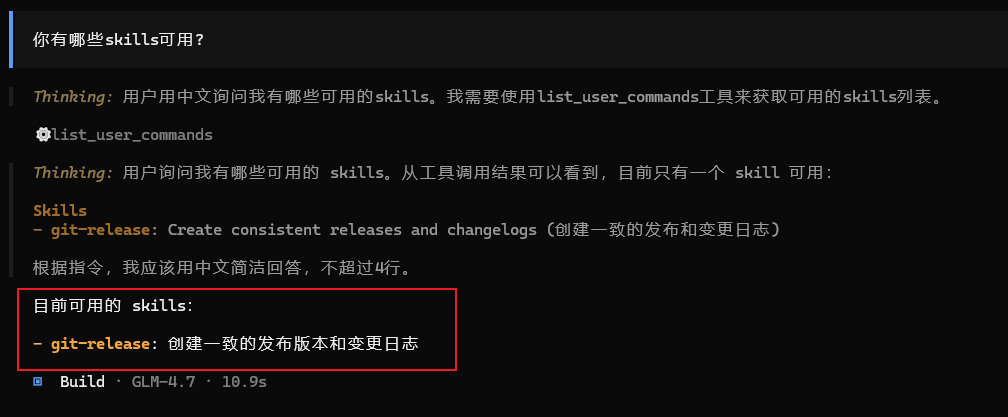
Skills
Skills extend the capabilities of CoStrict CLI through custom commands and workflows.
Overview
Skills are reusable command templates that encapsulate common workflows and best practices.
Skill File Placement
Create a folder for each skill name and place a SKILL.md in it. CoStrict will search these locations:
● Project configuration: .costrict/skills/<name>/SKILL.md
● Global configuration: ~/.config/costrict/skills/<name>/SKILL.md
● Project Claude compatible: .claude/skills/<name>/SKILL.md
● Global Claude compatible: ~/.claude/skills/<name>/SKILL.md
Writing Example
In the project root directory, create .costrict/skills/git-release/SKILL.md as follows:
---
name: git-release
description: Create consistent releases and changelogs
---

## What I do

- Draft release notes from merged PRs
- Propose a version bump
- Provide a copy-pasteable `gh release create` command

## When to use me

Use this when you are preparing a tagged release.
Ask clarifying questions if the target versioning scheme is unclear.
Note:
-
After writing, restart the CLI program to load Skills.
-
name requirements:
● Length of 1-64 characters ● Composed of lowercase alphanumeric characters, separated by single hyphens ● Cannot start or end with - ● Must not contain consecutive -- ● Match the directory name containing SKILL.md
Equivalent regular expression:
^[a-z0-9]+(-[a-z0-9]+)*$
description must be 1-1024 characters. Make sure it's specific enough for the agent to select correctly.
Testing