Getting Started
Launch Methods
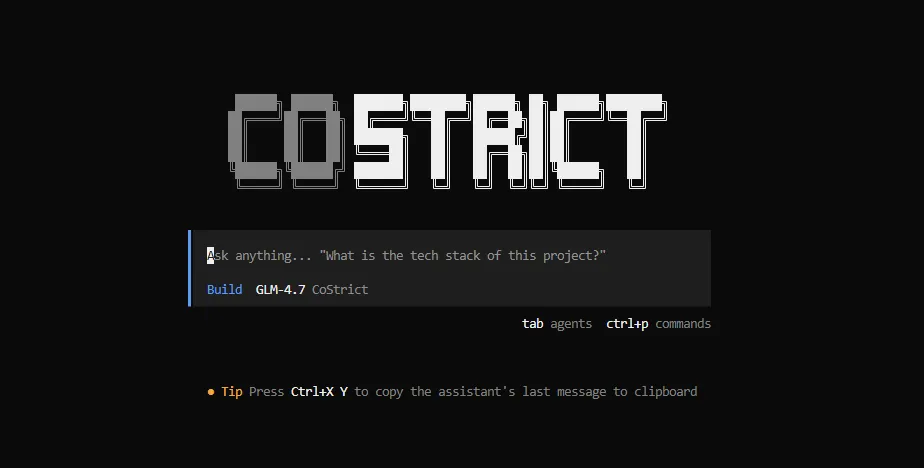
TUI Interactive Interface
cs
Starts the terminal UI (TUI) in the current directory. You can also specify a working directory:
cs /path/to/project
Non-interactive Mode
Pass a prompt directly — useful for scripts and automation:
cs run --agent build --model costrict/GLM-4.7 "Hello"
# Hello! How can I help you?
Web Interface
cs web                                    # Default: http://127.0.0.1:4096/
cs web --hostname 0.0.0.0 --port 8080    # Custom host and port
Docker Container
docker pull zgsm/costrict-cli:latest
docker run -it zgsm/costrict-cli:latest
Input Methods
File References
Use @ in a message to reference a file. Fuzzy search is supported for files in the current working directory:
@packages/src/api/index.ts How is the authentication logic implemented in this file?
The file contents are automatically added to the conversation context.
Shell Commands
Messages starting with ! are executed as shell commands, and the output is added to the conversation:
!ls -la
!git log --oneline -10
Session Management
Start a New Session
/new
Shortcut: ctrl+x n
Resume a Previous Session
cs --continue
Or type /sessions in the TUI and select a session from the list.
Shortcut: ctrl+x l
Undo / Redo
/undo reverts the last message and all associated file changes. /redo restores what was undone.
Undo/redo relies on Git to track file changes — the project must be a Git repository.
Shortcuts: ctrl+x u / ctrl+x r
Compact Context
When the context gets too long, compress the current session:
/compact
Shortcut: ctrl+x c
Model Management
Select a Model
/models
Shortcut: ctrl+x m
Switch Model Variants
Use ctrl+t to cycle through variants of the same model (e.g., different reasoning intensities).
Set the Default Model
In costrict.json:
{
  "$schema": "https://opencode.ai/config.json",
  "model": "anthropic/claude-sonnet-4-5"
}
See the Models & Providers documentation for details.
Agent Management
Switch Agents
- Parent agent: Use
Tab/Shift+Tabin the input box to cycle through agents. The built-in agents are Build and StrictPlan. - Sub-agent: Invoke with
@namesyntax.
Enter / Exit a Sub-agent Conversation
- Enter: Double-click a sub-agent conversation to step into it.
- Exit: Press the shortcut shown at the top of the page. If there is a key conflict, click Parent in the top-left corner to exit.
Slash Commands
Type / followed by a command name in the TUI:
| Command | Description | Shortcut |
|---|---|---|
/new | Start a new session (alias: /clear) | ctrl+x n |
/sessions | List and switch sessions (alias: /resume) | ctrl+x l |
/models | Select a model | ctrl+x m |
/compact | Compact the current session (alias: /summarize) | ctrl+x c |
/undo | Undo the last message and file changes | ctrl+x u |
/redo | Redo undone changes | ctrl+x r |
/connect | Add a provider API key | — |
/init | Create or update the AGENTS.md file | ctrl+x i |
/editor | Compose a message in an external editor | ctrl+x e |
/export | Export the conversation as Markdown | ctrl+x x |
/theme | Choose a UI theme | ctrl+x t |
/thinking | Toggle display of thinking process | — |
/details | Toggle display of tool execution details | — |
/help | Show help | ctrl+x h |
/exit | Quit (aliases: /quit, /q) | ctrl+x q |
External Editor Setup
The /editor and /export commands use the editor specified by the EDITOR environment variable.
Linux / macOS:
export EDITOR="code --wait"   # VS Code
export EDITOR=vim
Add this to ~/.bashrc or ~/.zshrc to make it permanent.
Windows (PowerShell):
$env:EDITOR = "code --wait"
Common editors: code (VS Code), cursor, windsurf, nvim, vim, nano, notepad.
GUI editors (VS Code, Cursor, etc.) require the
--waitflag so that the editor blocks until the file is closed.
TUI Configuration
Customize TUI behavior via costrict.json:
{
  "$schema": "https://opencode.ai/config.json",
  "tui": {
    "scroll_speed": 3,
    "scroll_acceleration": {
      "enabled": true
    },
    "diff_style": "auto"
  }
}
scroll_speed— Scroll speed multiplier (default:3, minimum:1)scroll_acceleration.enabled— Enable smooth scroll acceleration; when enabled, takes precedence overscroll_speeddiff_style— Diff rendering style:"auto"adapts to terminal width,"stacked"always shows single-column diffs
For more CLI flags and environment variable options, see the CLI Reference.